See every lab at once
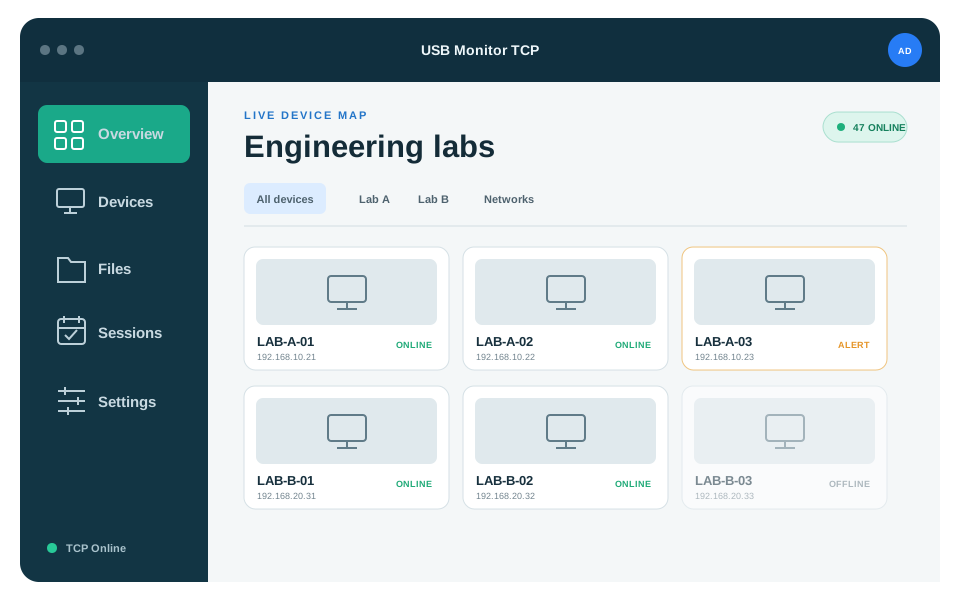
Group guarded PCs by subnet, rescan an existing lab, and use the live device map when the whole room needs attention.
 USB Guard TCP
Get the app
USB Guard TCP
Get the app
USB Guard TCP helps lecturers and administrators discover, organise, and control guarded PCs across routed networks—without leaving the Monitor.
LESS WALKING. FASTER RESPONSE.
A clear toolbar, lab tabs, a useful sidebar, and one live map keep daily controls close without crowding the screen.
Group guarded PCs by subnet, rescan an existing lab, and use the live device map when the whole room needs attention.
Stream large files safely, verify them with SHA-256, preserve source names, and receive a saved or failed acknowledgement.
Run sessions, apply policies, lock screens, and safely reboot or shut down selected workstations from the live device map.
Install trusted release packages manually or use verified agent updates with progress and administrator elevation.
YOUR NETWORKstays under controlLabs, policies, sessions, licenses, and preferences live in a local SQLite database. On Windows, the TCP authentication token is protected for the current user with DPAPI.
Install the Agent on guarded workstations and the Monitor on the lecturer or administrator PC.
Name a lab and search its subnet for authenticated USB Guard listeners.
Keep discovered devices grouped in dynamic lab tabs.
Work with one PC, one lab, or every connected device from the live map.
Updated navigation, verified file collection, remote workstation controls, and safer agent upgrades.
Version 4.0.1 · Master, Standard & Viewer licensing